
Counterview on a second screen
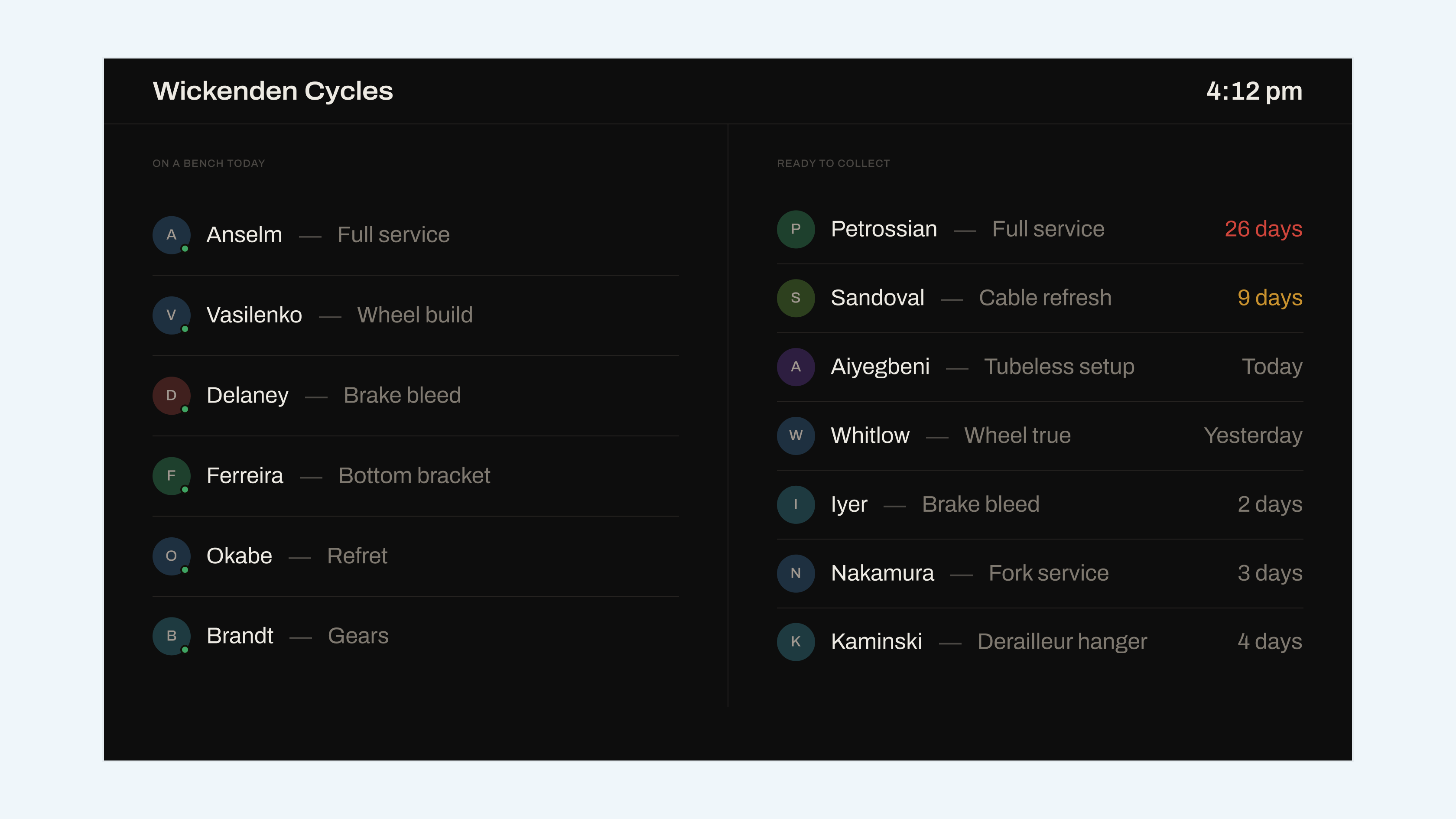
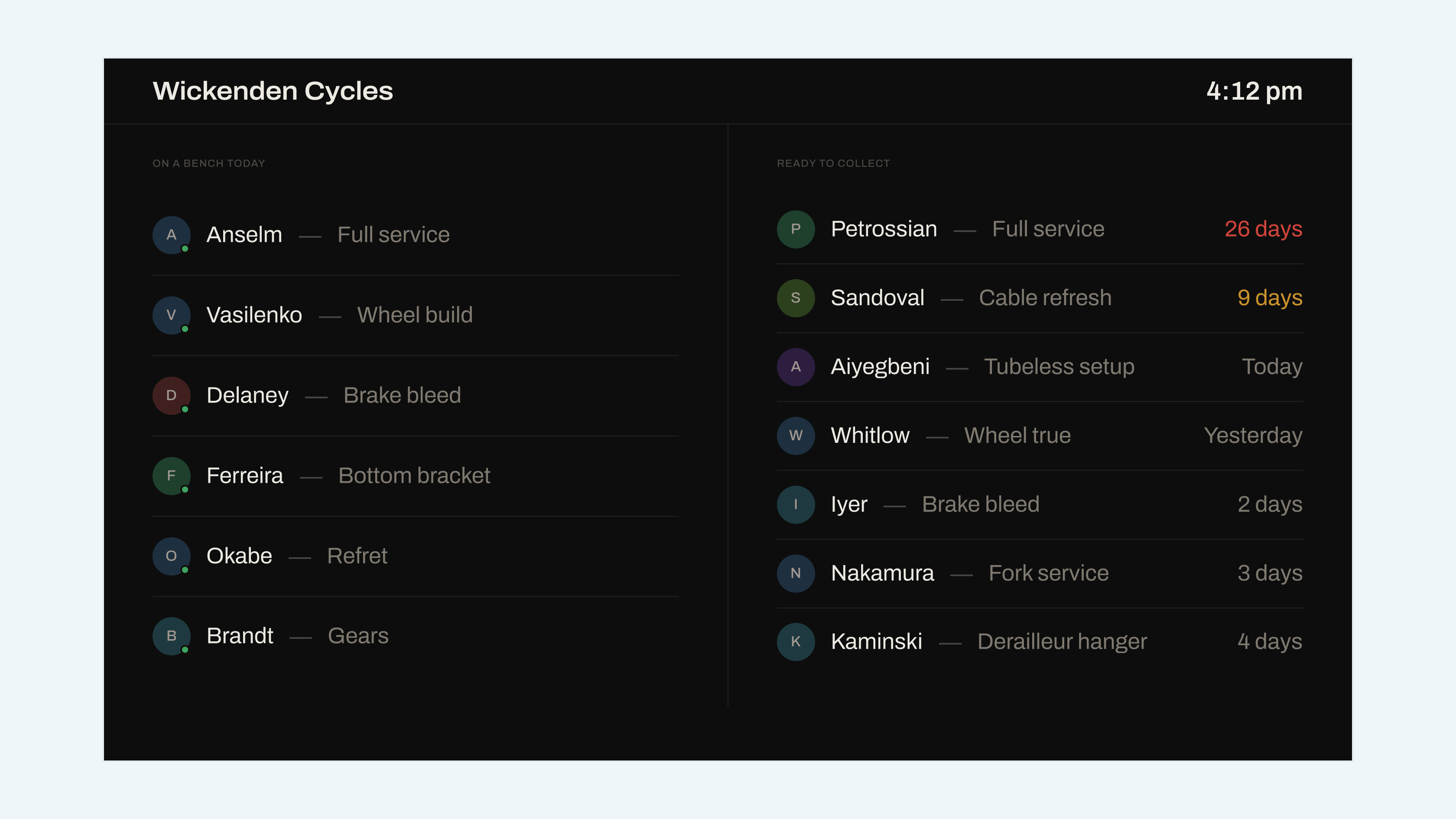
Counterview now runs on a display of its own without a browser tab, wakes at opening time, and sleeps when the shop closes.
Counterview runs on a display of its own now. No browser tab, no address bar, no cursor sitting in the middle of it, and it comes on when you open and goes dark when you close.
Set it up in Settings → Counterview: pair the screen with a six-digit code, set your opening hours, and leave it. It reconnects by itself after a power cut, which was the single most-reported thing about the previous version.
We do not sell screens, mounts or anything else physical, and we are not going to. Whatever display is already in your back room will do.
Improvements
- Type is roughly twice the size at display resolutions, because this is read from the door rather than from a desk.
- Ready to collect sorts by longest wait first, so the shelf empties from the correct end.
- A clock, top right, which several shops asked for and one shop asked for twice.
- The screen dims rather than sleeping in the last thirty minutes before closing, so nobody thinks it has crashed.
Fixes
- The screen went blank rather than reconnecting after the network dropped for more than five minutes.
- Jobs completed while the screen was asleep did not appear until a manual refresh.
- Opening hours crossing midnight were treated as a zero-length day.
- Long customer names pushed the wait time off the right edge.
- The pairing code expired after 60 seconds rather than the 15 minutes the screen claimed.
- Status dots used the marketing accent rather than the three status colours.
Counterview
One screen on the wall: what is on a bench today, and what is ready to collect.