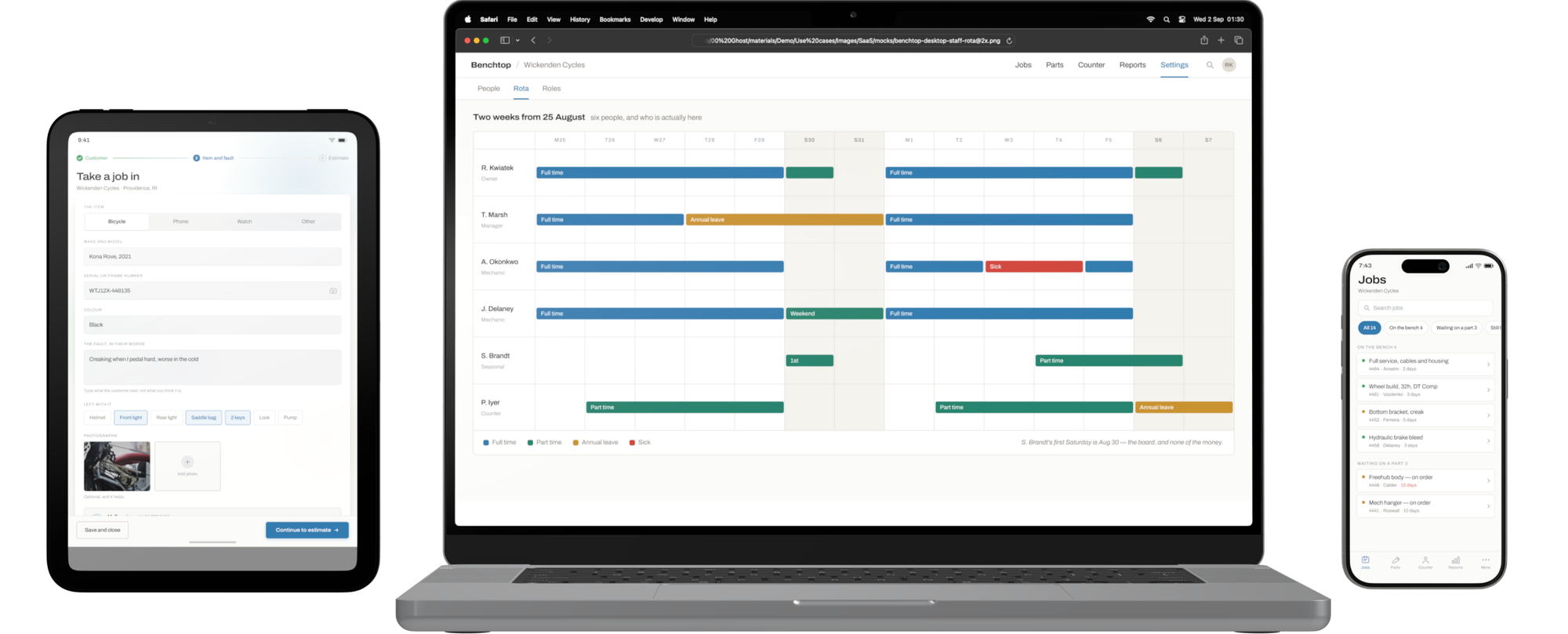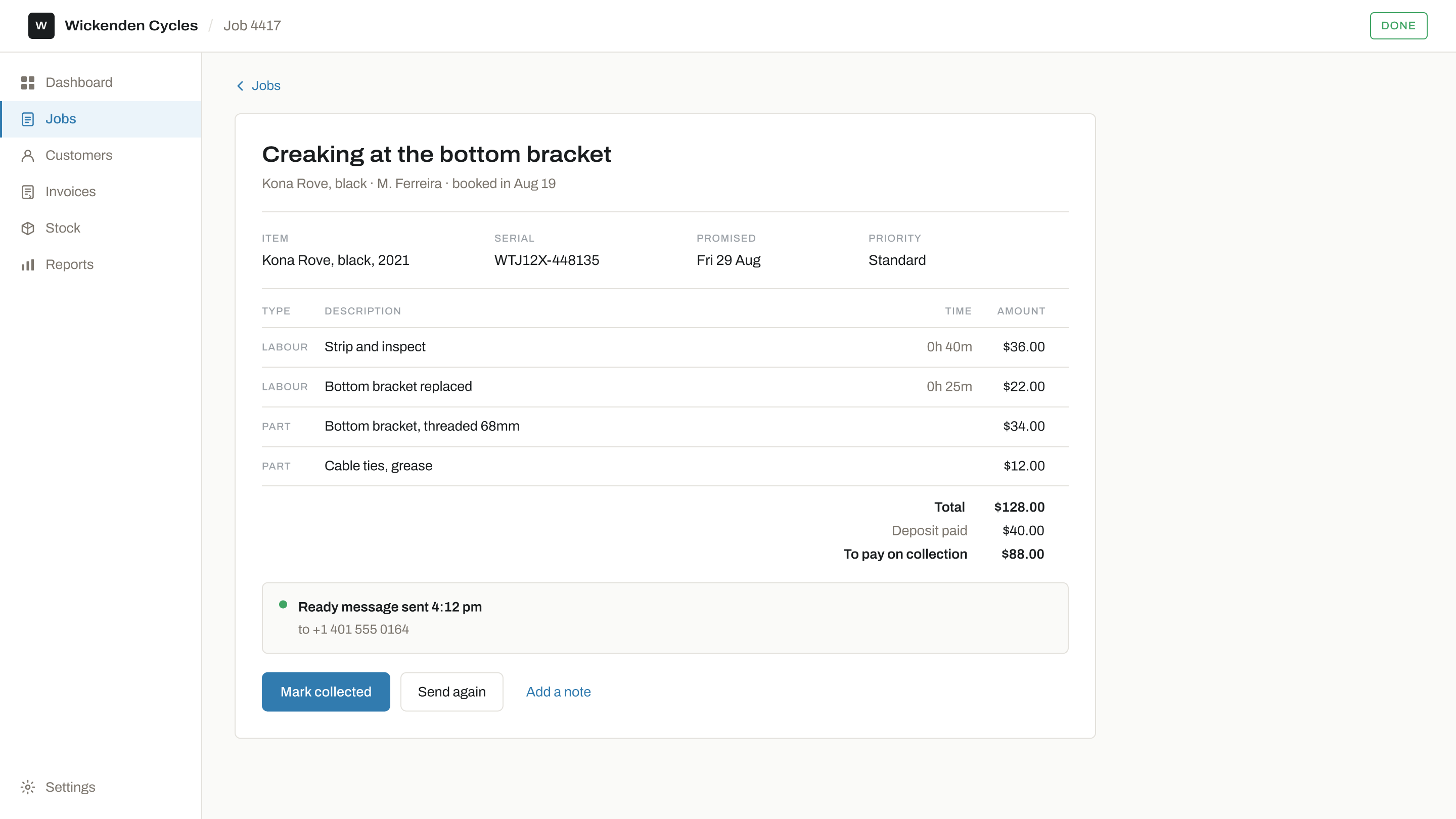
A job card is one job. It holds what came in, what is wrong with it, what you have done so far and what it has cost, and it has a web address the person who owns the thing can open without signing in to anything.
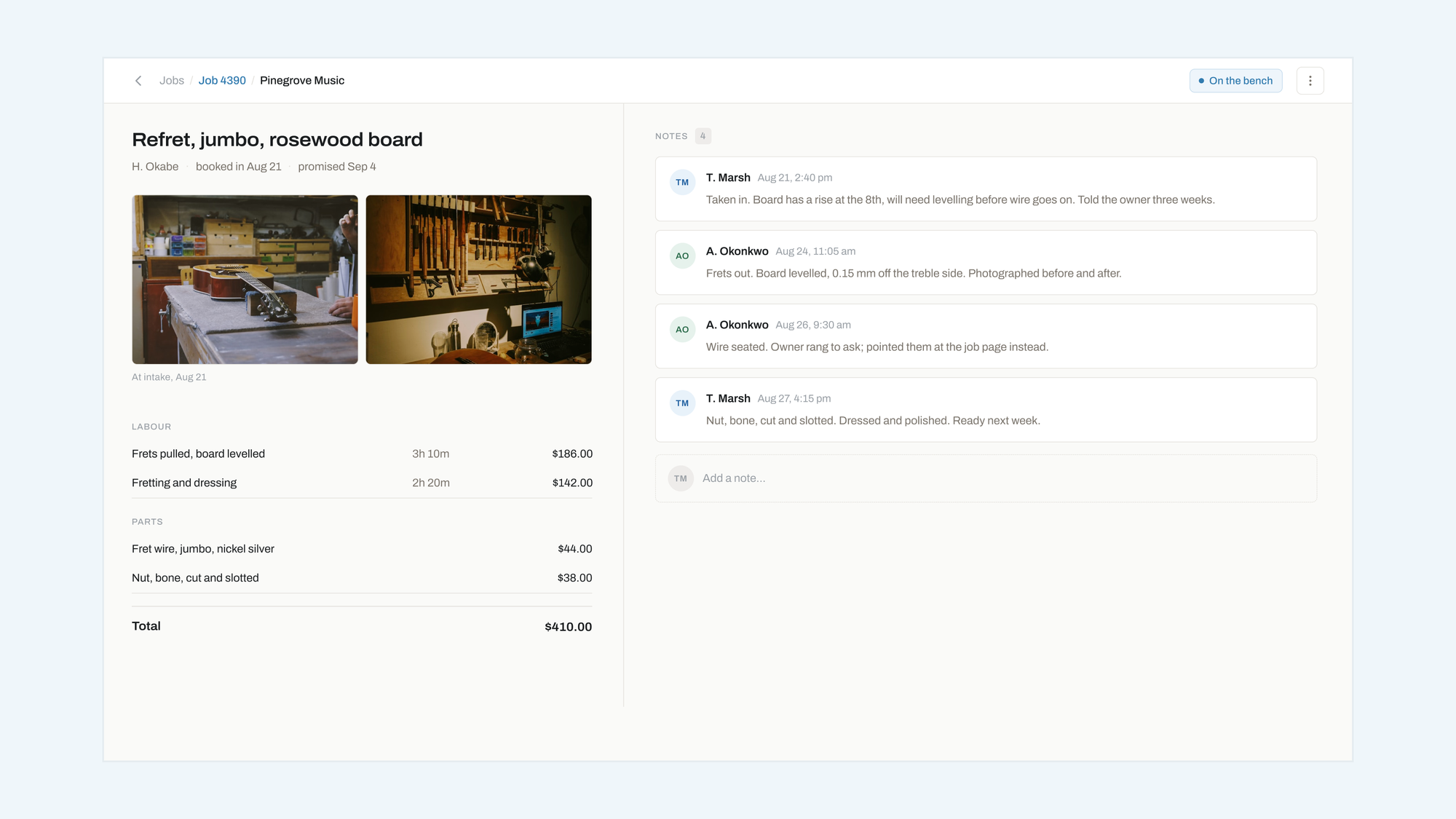
Notes have names on them
Two people work on a job and only one of them knows what happened. Every note carries the initials of whoever wrote it and the time they wrote it, in the order they occurred, so a handover is reading rather than asking.
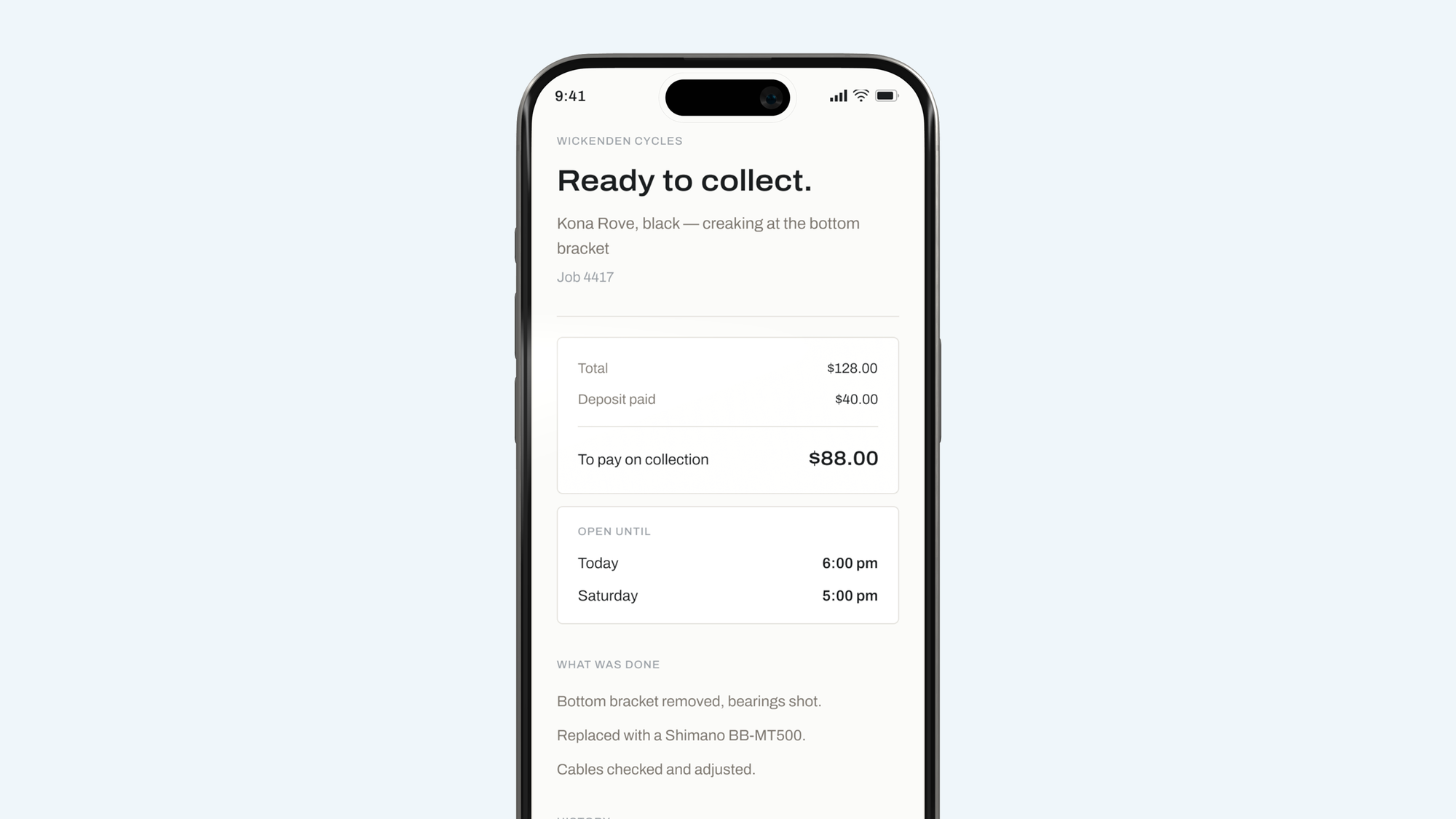
This is the only screen your customer ever sees.
What is on a card

Photos at intake
From the phone in your apron, before the thing leaves the counter. It settles most arguments before they start.

Labour and parts
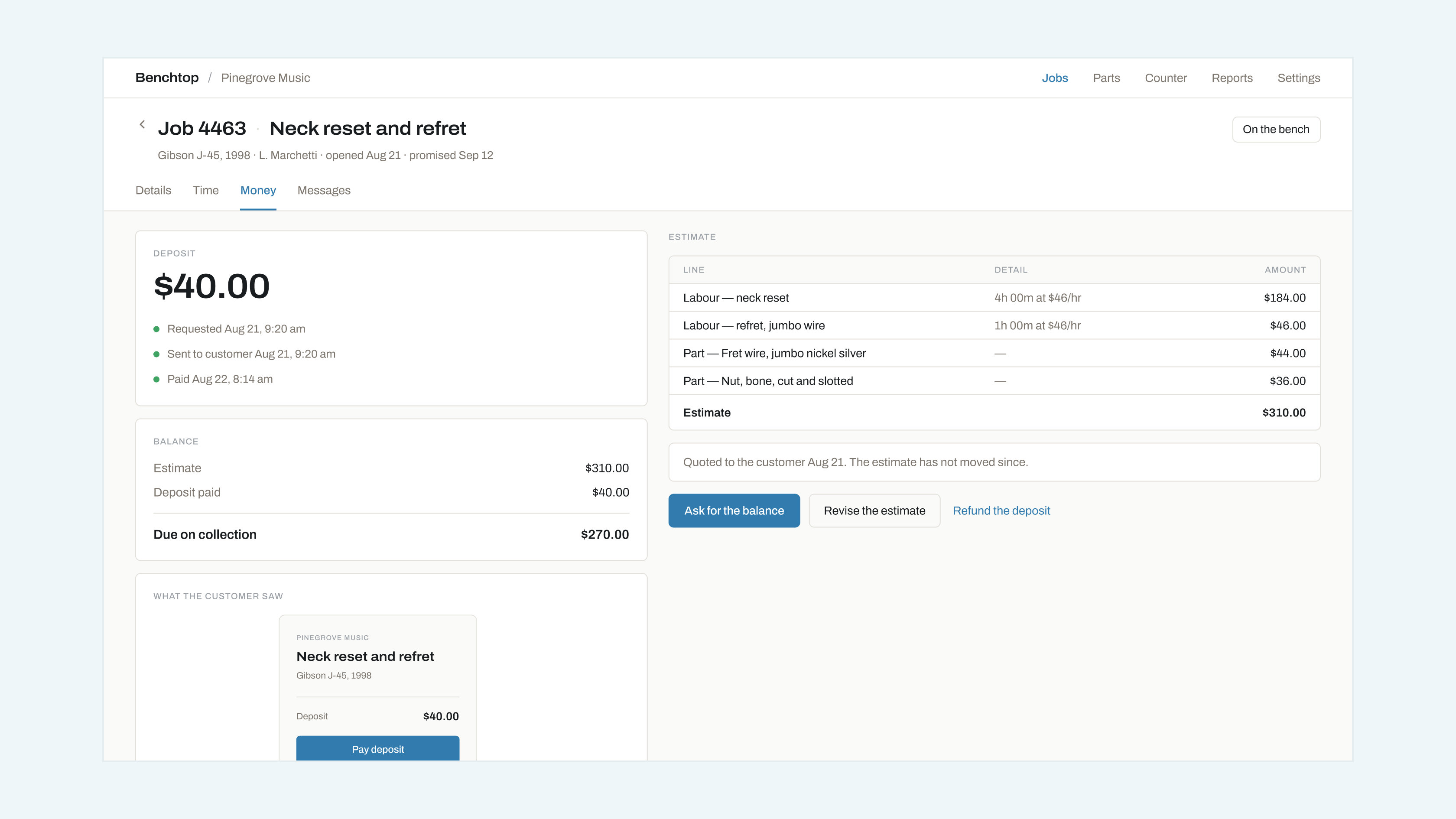
Lines go on as you work. The total is what the customer sees, and it changes on their page when it changes on yours.

Notes with names
Who wrote it, when, in order. Nobody has to remember what they told somebody on Tuesday.

Deposits
Ask for one on any job. They pay on their own page and Benchtop never sees a card number.

The public link
No login, no account, no app. It is a web page and it works on whatever they have.

Print it
If your bench runs on paper attached to the thing itself, print the card and tape it on. Plenty of shops do.
Everything a card holds
| Group | Fields |
|---|---|
| **Intake** | What it is · What is wrong · Customer · Mobile · Promised date |
| **Work** | Status · Whose bench · Notes · Photographs · Time on the bench |
| **Money** | Labour lines · Parts lines · Deposit · Total |
| **The customer's view** | Status in words · The date it changed · Total and what is left to pay · Your opening hours |
The last group is the short one on purpose. Your notes, your times and your margins are not on it.
Questions
Can I edit a job after it is closed?
Yes. Closing a job is a status, not a lock. Anything you change after the fact shows on the customer's page with the date it changed, which is the honest way round.
Can the customer see my notes?
No. They see the status, the date it changed, the total and the deposit. Notes, bench time and who worked on it stay inside the shop.
A deposit sits on the job as three states — requested, sent, paid — and nothing about payment processing appears anywhere in Benchtop.
What happens if I take a deposit and they cancel?
You refund it from the job, in your own Stripe account. Benchtop asks for the deposit and records that it was paid; the money never touches us and neither does the card number.
Can I print a card for the bench?
Yes, and a lot of shops do. Paper on the thing itself is a good system for the workshop. What it cannot do is tell the person who owns it anything, which is the half Benchtop is for.